



Skip to content

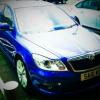
Octy II Sport

Featured Replies

I've never seen another one on the road :(

Do they exist or have i been bumped.............AGAIN :rofl::D

Anyone on here have one? lol

Also does anyone have the same bloody annoying "whistling" sound coming from the back drivers side??!?!!?!!? :dull::o:thumbdown:

Davie

2.0 FSI Sport owner here. :thumbup:

Haven't noticed a whistle noise to be honest.

  • Author

lol WOO HOO!!!:D :D :D another one lol

Think its from the rear drivers window..............its driving me insane (more insane ;))

  • Author

Thanks guys ;) lol

................feel better now lol

Anyone got any idea about the noise?

The noise is a known issue and to do with the small fixed window on the rear door. There is loads on here about the issue and how to fix it.

  • Author

ah ha :D top man cheers :thumbup:

SimonTDIsport ...he's got one! DieselDarren... another. sms he has one too. seanGT's another that springs to mind...

You're not alone!

Ssshhh don't tell anyone Simbo.

Sports are very exclusive, especially without the external badges!

Mine's even harder to spot in winter on it's steelies too total stealth mode. B)

sms has one, damo had one for a while but he swaps cars every three days, so there's a few of us about.

  • Author

Cool :thumbup: mines, VERY de-badged ;) lol lol

Didnt think they were THAT rare :D

  • Author

Had a look mate :thumbup: going to fix it tomorrow lol cheers tho :D

  • 2 weeks later...

Well well looky here, have we got a Skoda Octavia Sport cult, can I join please? lol!

Hmmm.... i've also got that annoying wind noise coming from the rear passenger window, i'm gonna try and do that DIY jobbie by getting some black silicone sealant, has anyone tried it and been triumphant?

Regards,

Matt.

Edited by billywhiz040480

  • Author

lol welcome to the club :rofl: lol

I've sealed it but still getting the noise :( back to the drawing board.................

Create an account or sign in to comment

Recently Browsing 0

  • No registered users viewing this page.

Important Information

Welcome to BRISKODA. Please note the following important links Terms of Use. We have a comprehensive Privacy Policy. We have placed cookies on your device to help make this website better. You can adjust your cookie settings, otherwise we'll assume you're okay to continue.

Account

Navigation

Configure browser push notifications

Chrome (Android)
  1. Tap the lock icon next to the address bar.
  2. Tap Permissions → Notifications.
  3. Adjust your preference.
Chrome (Desktop)
  1. Click the padlock icon in the address bar.
  2. Select Site settings.
  3. Find Notifications and adjust your preference.
