



Skip to content

Removing Front Badge
Featured Replies

Apologies if this has already been posted!

Does anyone know how to remove the front grill badge from the Fabia?

I'm putting a new one on as it's faded!

Cheers

I used dental floss to try and cut through the glue, and then there's two plastic locating pins. In the end, I just tore mine off in a rage as it was taking too long (the badge was knackered anyway and I wanted the grill painting).

Hot water will help soften the adhesive prior to prying it off!

hi i used a piece of fishing line on the back of the badge to remove the badge then just petrol to remove the the remaining adhesive.

the petrol will not damage the paintwork no matter what amount you use.i have done this several times. i have two of the latest new vrs badges for sale for the front if you are interested

bill

Edited by bill2

i used a hairdryer,flat head screwdriver and a think cloth to protect the grill whilst prizing off the badge, then a bit of tardis to get rid of the remaining residue.

  • Author

Cheers all. :thumbup:

Sounds like a bit of a bugger to get off then!

Just ordered one, so I'll give it a go when it arrives.

Is this for the VRS badge or the Skoda badge?

  • Author

Skoda badge.

Cheers

Is there a new style Skoda badge that can replace the old one?

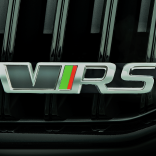
My skoda badges laquer is lifting so will need replacing soon. I am not a fan of the new vRS badge but wouldnt mind looking at an updated skoda badge?

  • Author

That's excactly what's happening to mine!

Will let you know how I get on.

Cheers all. :thumbup:

Sounds like a bit of a bugger to get off then!

Just ordered one, so I'll give it a go when it arrives.

nah it's really easy, just time consuming (if you don't want to mess anything up!)

I used a knife and force, it didn't matter what the knife was digging into as it's covered by the badge plus I was taking it off to sand and primer the grill bit for colour coding

Is there an updated skoda badge? I know there was a new one going on the new octavia?

Edited by nafeun

We just picked up my wife's new vRS last Saturday and first thing to sort is a new grille badge as the one that is on there has seen better days! Where did you get the new badge from and how much, if you don't mind me asking? Also, let me know how removing the old one goes as I will be doing the same very soon ...

  • Author

I'll keep you posted.

Just had the badge delivered but was damaged in transit! Had to return and awaiting a replacement.

Thanks

Thanks

Just ordered two badges myself online as we are going to replace the tailgate one too.

The original 'Skoda' badges for front grille and tailgate are identical. They are fixed by double-sided adhesive foam and have two small projecting pins which locate them in the correct position.

To remove the badges you need to 'slice' through the foam with a strong nylon fishing line or similar as suggested earlier. In addition, the ends of the locating pins on the front badge (extra security?) are melted where they protrude through the rear of the grille so you need to carefully drill or cut off the melted plastic blobs at the back so that you can remove the badge easily without damaging the surround.

Don't know about new-style badges (are they the same size (80mm)?) but cheapest I've seen for original replacements is Jorily.

  • Author

That's great info Ian, thanks mate.

I'm just awaiting my replacement badge, so I'll keep this thread updated when completed.

Cheers all :thumbup:

Edited by Mounty

Create an account or sign in to comment

Recently Browsing 0

  • No registered users viewing this page.

Important Information

Welcome to BRISKODA. Please note the following important links Terms of Use. We have a comprehensive Privacy Policy. We have placed cookies on your device to help make this website better. You can adjust your cookie settings, otherwise we'll assume you're okay to continue.

Account

Navigation

Configure browser push notifications

Chrome (Android)
  1. Tap the lock icon next to the address bar.
  2. Tap Permissions → Notifications.
  3. Adjust your preference.
Chrome (Desktop)
  1. Click the padlock icon in the address bar.
  2. Select Site settings.
  3. Find Notifications and adjust your preference.
