



Skip to content

Leaking fuel filter on Vrs
Featured Replies

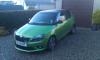
Very strong smell of petrol from around my car today, noticed under the driver side passenger door that petrol was dripping (almost pouring out) OMG. Drove straight to my local garage (not Skoda) and found the fuel filter leaking, getting replaced this afternoon. My question is should the filter be changed at a service, as my car had its 3 year service should it have been done then mileage is 14000. Any thoughts.

I don't think the fuel filter is to be replaced at any time, certainly not at a 3 year service. I had mine replaced though on my own cost as some people had reported too much waste found on it when they had done an inspection and thought it wouldn't hurt. No fuel smell or anything like that though. Sounds like a random failure.

Fuel filter isn't a replacement item on any service on petrol engines.

But you can replace it when you need to as many have had to. Dealers employees say they do not need replaced. But they are there in the parts department and they sell them since thay are service parts / consumables.

I up until a month ago worked for a Skoda main dealer. We changed the fuel filter's on petrol model's every 4 year's. It's not listed as needing replacement though by Skoda.

Sent from my SM-G900F using Tapatalk

Were you getting Fabia Twinchargers in and changing them, because it does not come up when you call up the service schedule and I have never seen them in a Major Service at 4 years listed and charged for?

Everything 4 year's old. Petrol or diesel. Citygate Skoda Watford. I left end of September.

Sent from my SM-G900F using Tapatalk

We even changed the 2 fuel filter's on the Fabia greenlines.

Edited by FLAPPERJACK7

Create an account or sign in to comment

Recently Browsing 0

  • No registered users viewing this page.

Important Information

Welcome to BRISKODA. Please note the following important links Terms of Use. We have a comprehensive Privacy Policy. We have placed cookies on your device to help make this website better. You can adjust your cookie settings, otherwise we'll assume you're okay to continue.

Account

Navigation

Configure browser push notifications

Chrome (Android)
  1. Tap the lock icon next to the address bar.
  2. Tap Permissions → Notifications.
  3. Adjust your preference.
Chrome (Desktop)
  1. Click the padlock icon in the address bar.
  2. Select Site settings.
  3. Find Notifications and adjust your preference.
